Pay Using TNG eWallet
After you have selected your seat, you will be required to select your payment type. Please select TNG eWallet as shown in the image and Click “Proceed to Payment” button.
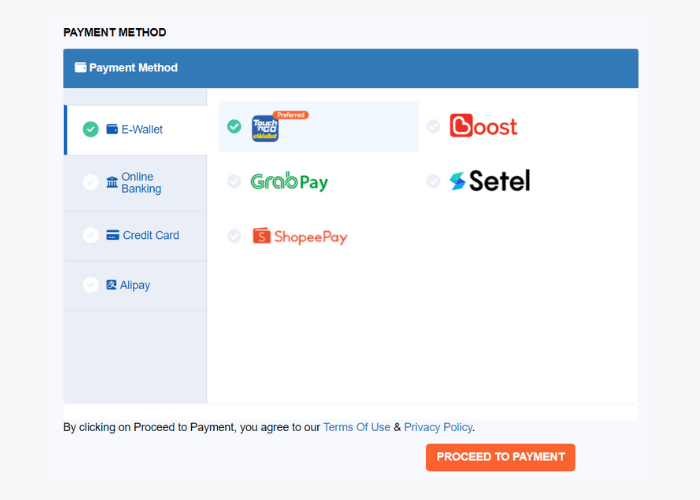
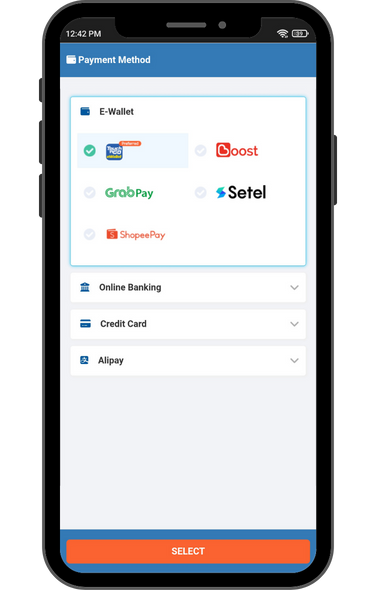
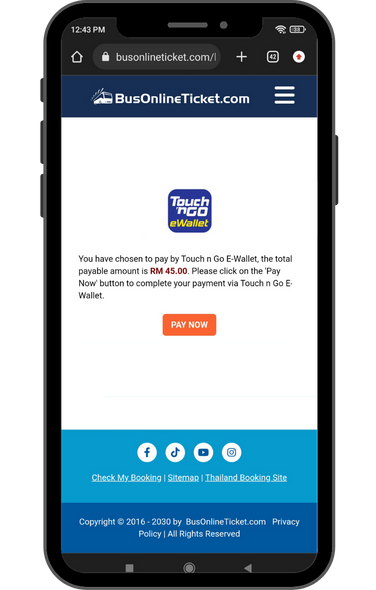
You will be sent to a page to inform that you will be redirected to the TNG eWallet app.
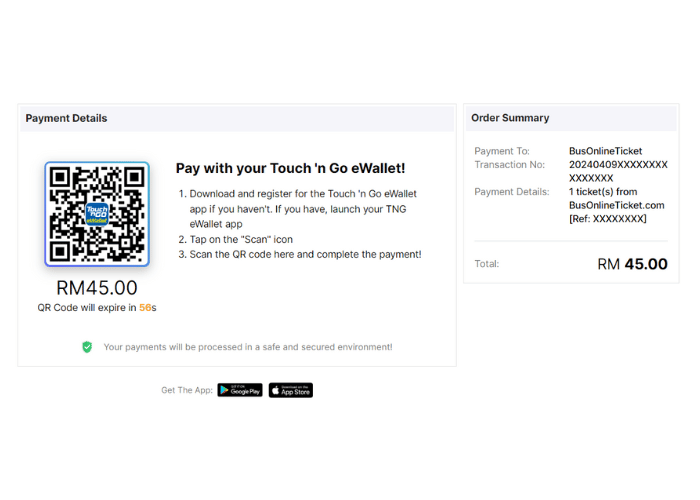
TNG eWallet app will display details of the payment. Ensure all details are correct and tap on “Pay”.
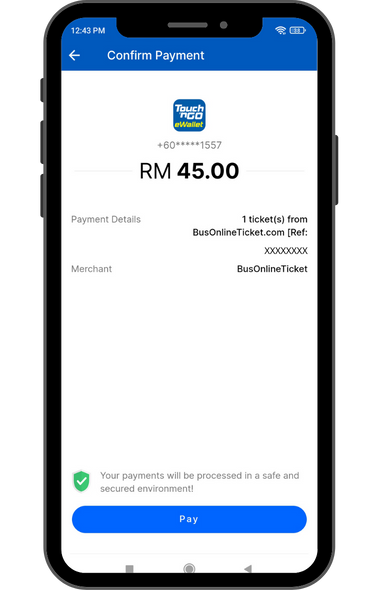
You will be asked to enter the 6-digit PIN linked to your TNG eWallet account.
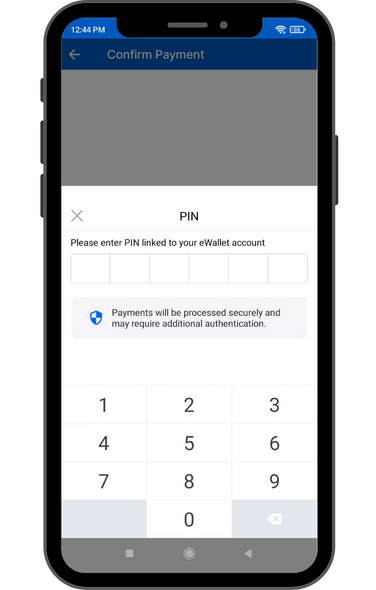
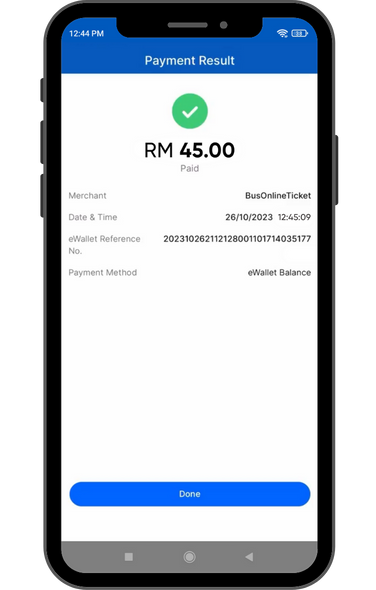
Once the payment is confirmed, you will receive your booking confirmation sent to your email & you are ready to go!
PayPal Payment Guide
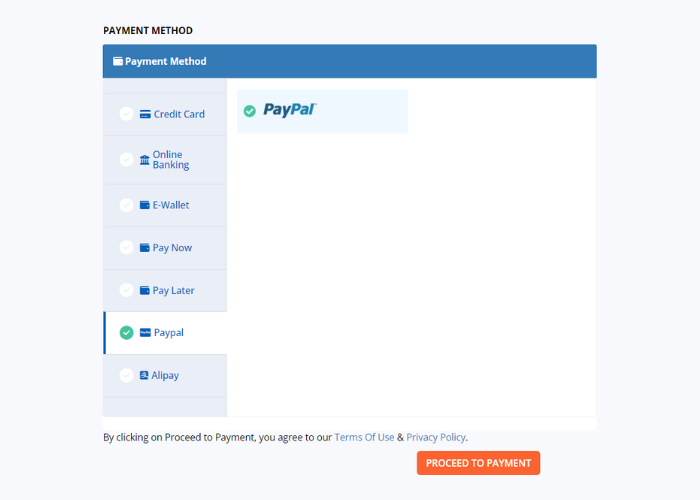
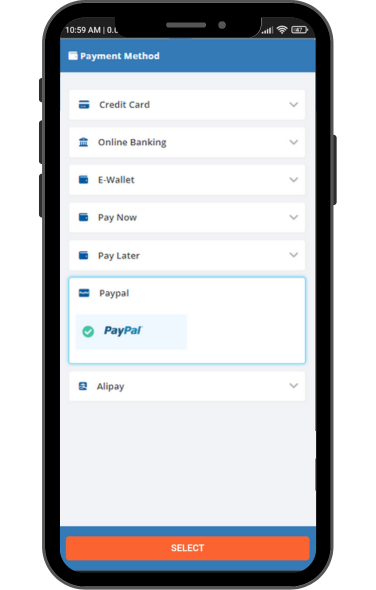
After you have selected your seat, you will be required to select your payment type. Please select PayPal as shown in the image
and Click “Procced to Payment” button.
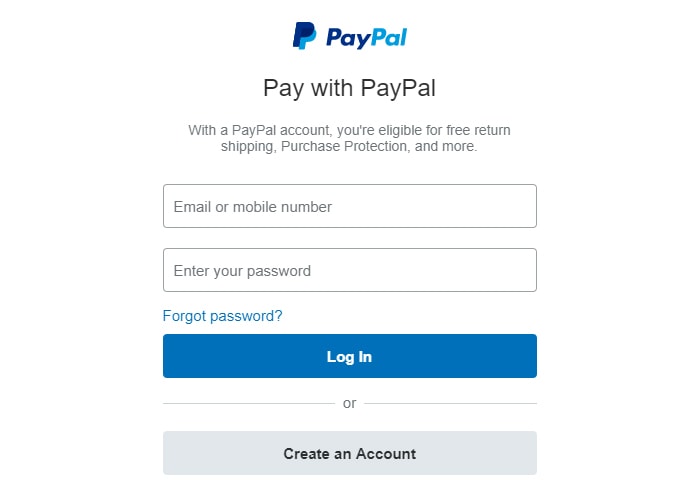
Login to your PayPal account.
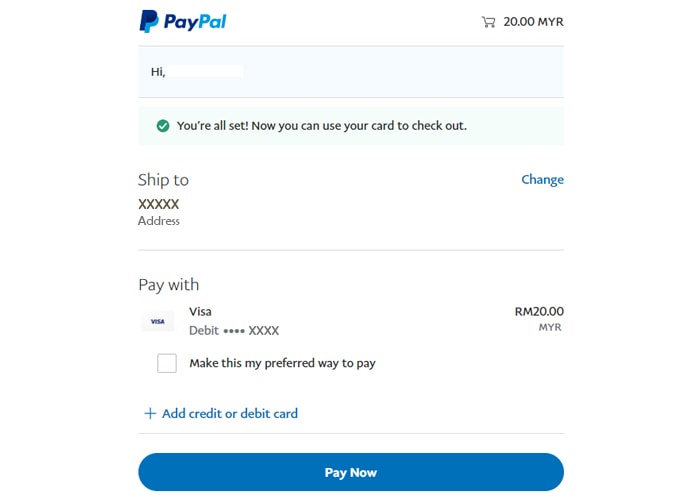
Select your preferred card or fill in your personal and credit card details then click “Pay Now” button. Done! Upon a successful payment, you should receive your booking confirmation sent to your email within 30 minutes and you are ready to travel!
Alipay Payment Guide
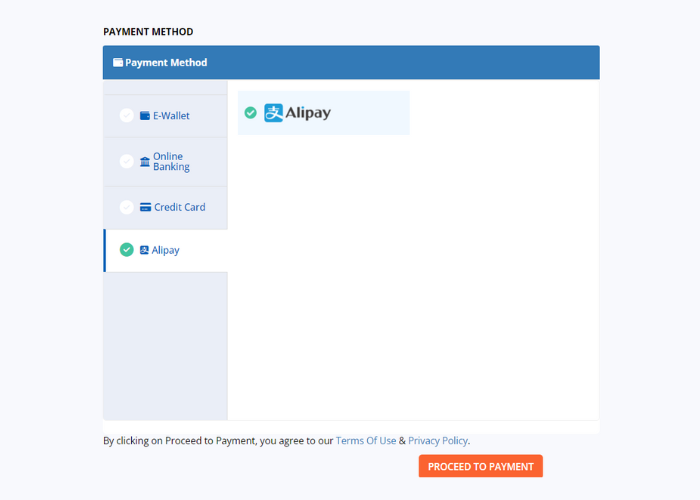
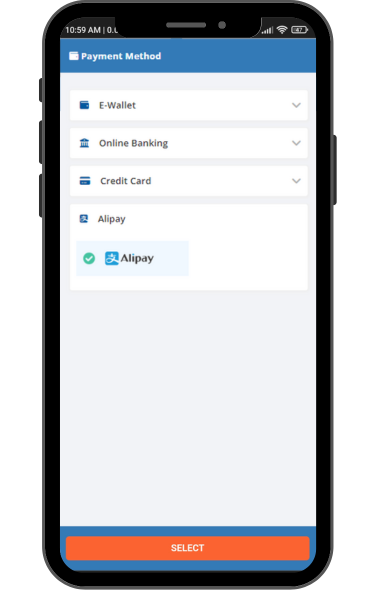
After you have selected your seat, you will be required to select your payment type. Please select Alipay as shown in the image
and Click “Procced to Payment” button.
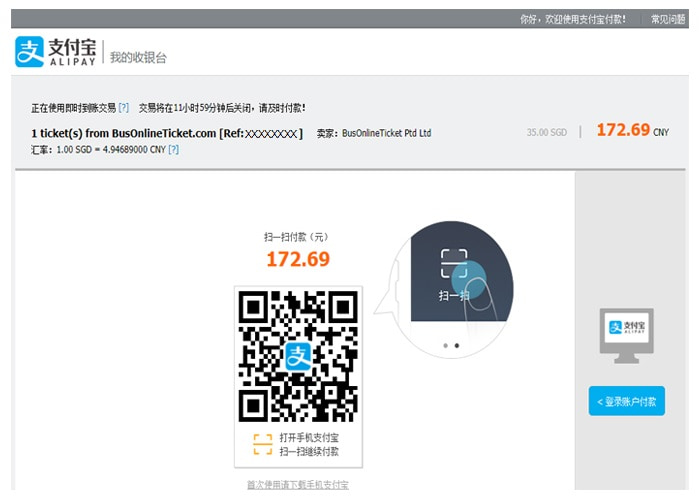
Please confirm the payment amount before you scan the QR code and make the payment via mobile phone.
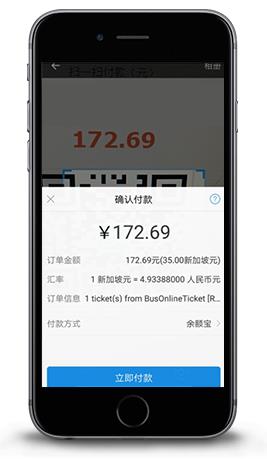
After you scan the QR code, it will lead you to the “Confirm Payment”page. Please proceed to confirm and make the payment.
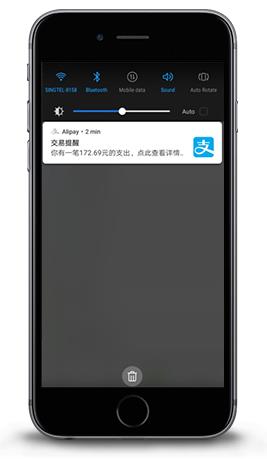
You will receive an SMS alert upon a successful payment. Your booking confirmation email will be sent to your designated
email within 24 hours. Please check your email.
Kindly check your spam or junk folder if you cannot see the e-mail.
If you still unable to receive the confirmation, send us an e-mail to sales@busonlineticket.com.